
Write the explanation
Describe Payment Service in a document. Ask a second workspace member to edit it with you.
The platform
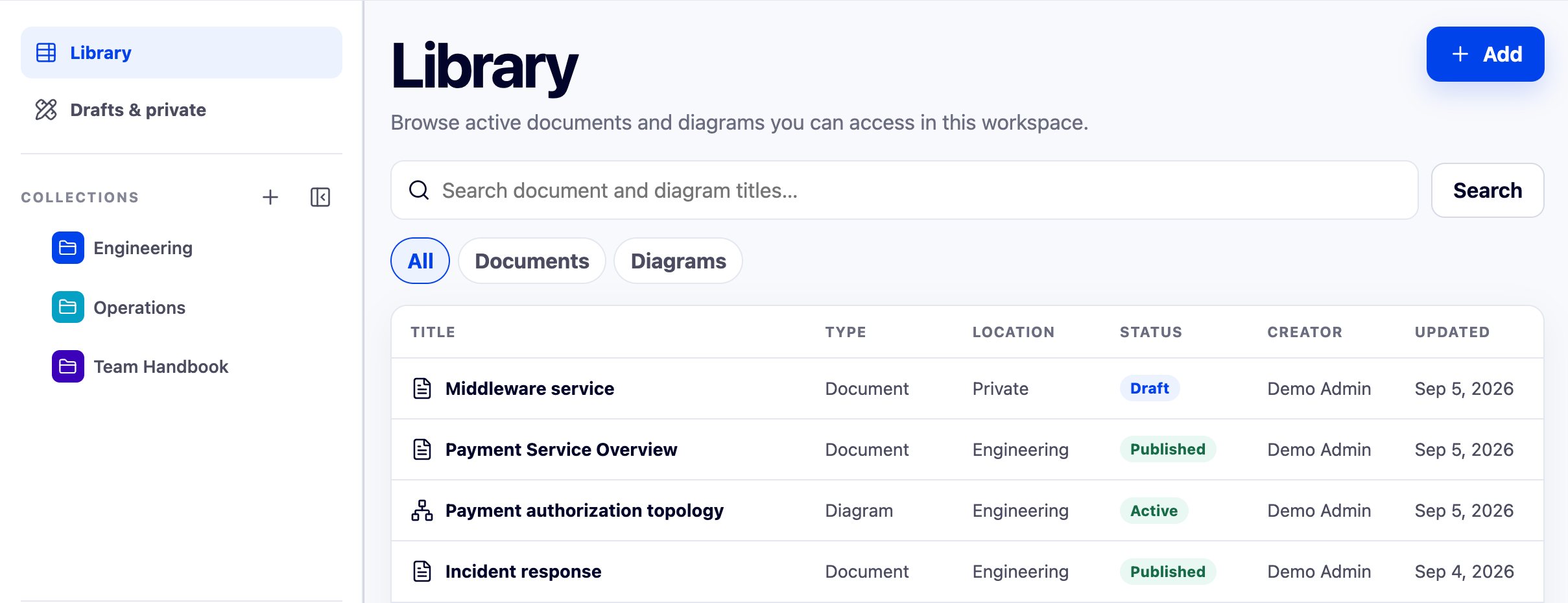
Documents and diagrams stay readable. A Service, its owner, and its dependencies become objects you can reference, version, and review.
The checkout flow routes authorized requests through Payment Service.
svc.paymentHuman-authored declaration
Everyday authoring
Write, draw, review, search, navigate, import, and export in documents and diagrams people can read directly. Formal structure appears only where it improves reuse or governance.
A workflow you can test
A Service is a part of your system, such as payment processing. Use the same Service for all six checks. Record what works in your evaluation.
Describe Payment Service in a document. Ask a second workspace member to edit it with you.
The editor capture shows saved prose with a second person editing. Confirm that both people’s edits are saved.
See the editor capture on OverviewConfirm the Service statement in your document as a declaration. Then promote it to a reusable object — a shared record — or link it to an existing one.
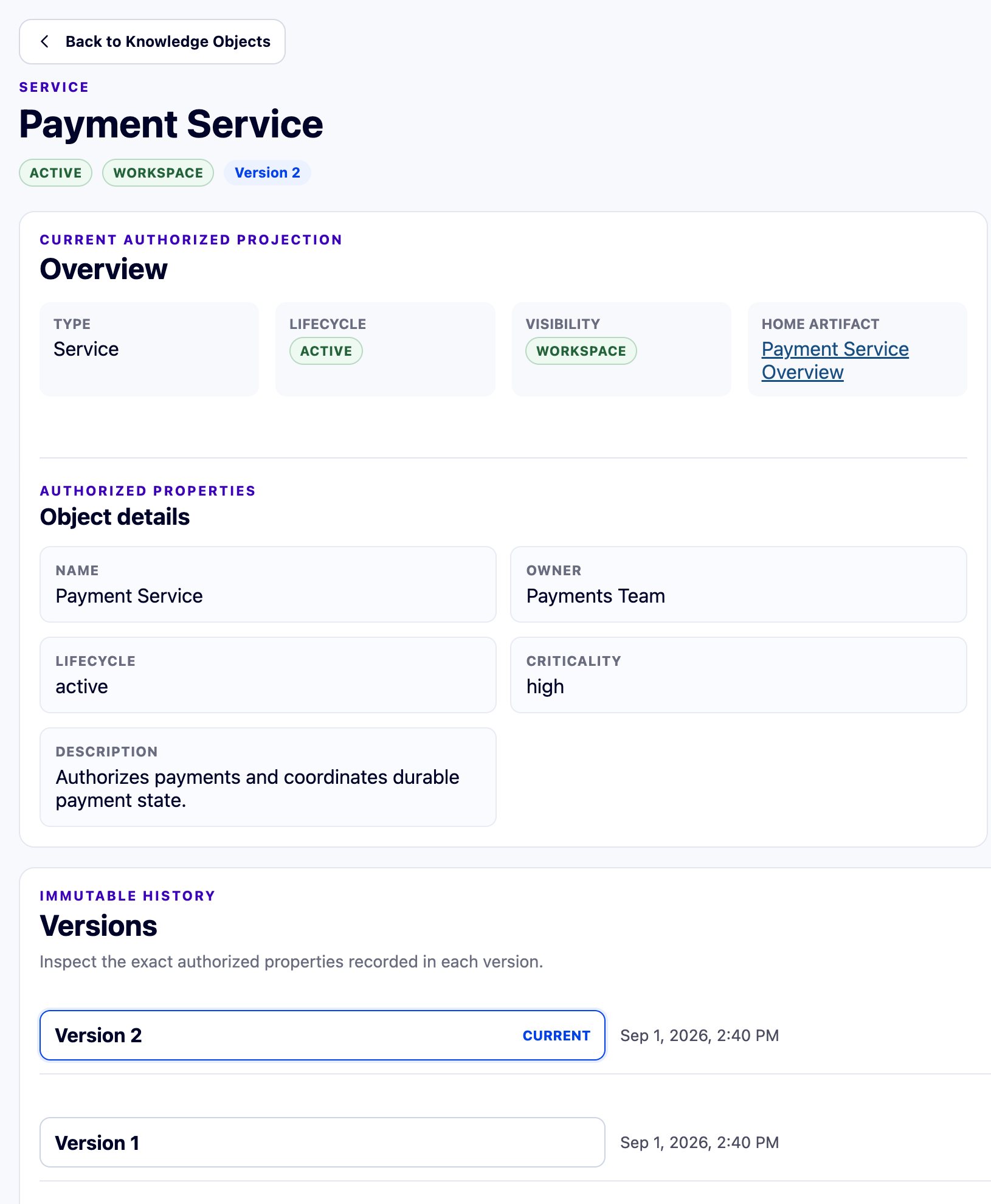
The object capture shows an owner and version history. Note the object’s ID for the next step.
See object details belowInsert references to the same object. When relevant, also link a Runbook for recovery steps and an SLO for the reliability target.
Open each reference and compare its object ID. A matching name is not enough. Test a reference that follows the current version and one pinned to a fixed version.
Open reuse checks in the guideChange a modeled owner or dependency and compare saved versions. This semantic review compares structured meaning; it does not infer the meaning of arbitrary prose edits.
The capture shows changed references and added items. Keep three actions separate: Knowledge Review proposes declarations; semantic review compares versions; an authorized reviewer approves. Accepting a suggestion neither approves nor publishes the work.
See the version comparison on Why TopoloomPublish with the built-in Service Overview contract, a set of checks that runs at publication. It confirms the Service has a name, an owning Team, and the required approval. You can’t write your own contracts yet.
Confirm that an incomplete draft still saves. Confirm that publication uses one exact immutable version with its required approval, and that creating the version alone does not publish it.
Open publication checks in the guideExport the selected content and open the package outside Topoloom.
The capture shows completion, not archive contents. Inspect your archive and its omission report; use the Trust page for the export inventory and limits.
See the export capture on TrustThese genuine captures were supplied in September 2026. Each shows a separate product state. They are not a recording of one completed evaluation. Confirm the version and enabled features in your demo.
Product evidence
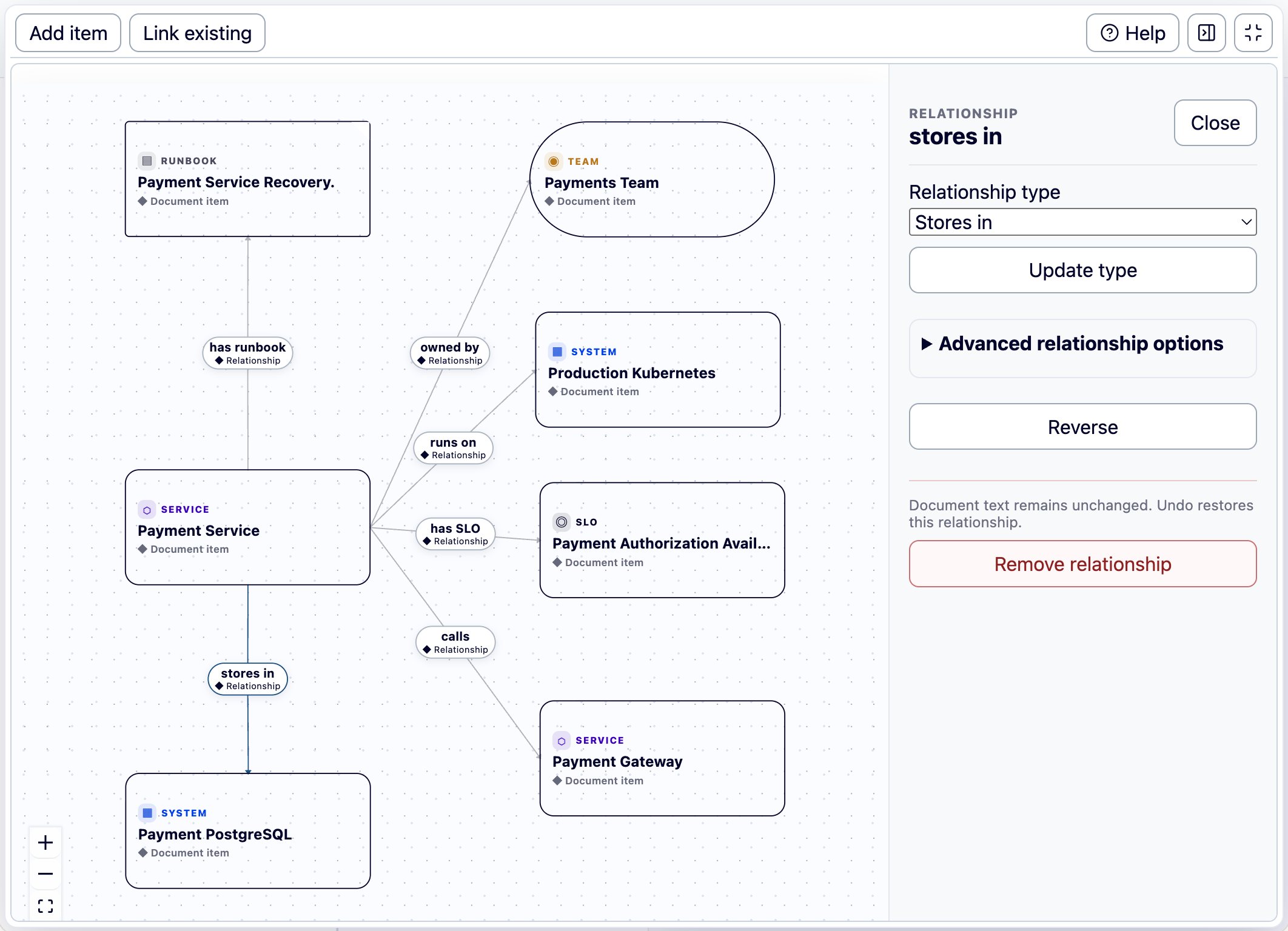
Content and Map are two views of one document. Map shows its declared relationships; it is not a separately authored Diagram. Here, STORES_IN means Payment Service stores data in Payment PostgreSQL.
Check the shared record
Compare its ID, owner, and version with your reference. A follow-current reference shows the current version you can read. A pinned reference stays on the one version you chose. Object updates do not rewrite surrounding document text.
The Used in list shows references in immutable document or diagram versions you may read, including unpublished versions. It excludes live drafts. This crop does not show the list.
External connections
A Living Binding links a local declaration, like Payment Service, to its record in a provider. A provider is another system, such as a service catalog. What the provider reports stays labeled as its data. It does not change what your team wrote until a person accepts it. The reference workflow uses a simulated provider, so confirm real connectors for your setup.
AI-ready without AI dependency
Connected search tools, agents, and RAG or GraphRAG pipelines can read stable IDs, versions, relationships, and provenance, the record of where each statement came from. Permissions are checked first, so they receive only what the reader is allowed to see. AI cannot decide permissions, approve a review, or publish. Knowledge Review currently uses fixed rules with no AI model or external provider call. That does not mean the whole application works offline.
A focused product walkthrough
See the same Service move through prose, a system diagram, a Runbook, an SLO, and semantic review.